Does Fast Cleaner free iPhone storage or add iCloud storage?
Fast Cleaner helps you review media stored on your phone. It does not add device capacity or sell cloud storage. Identify whether the warning concerns your device or iCloud first, because those problems require different checks.
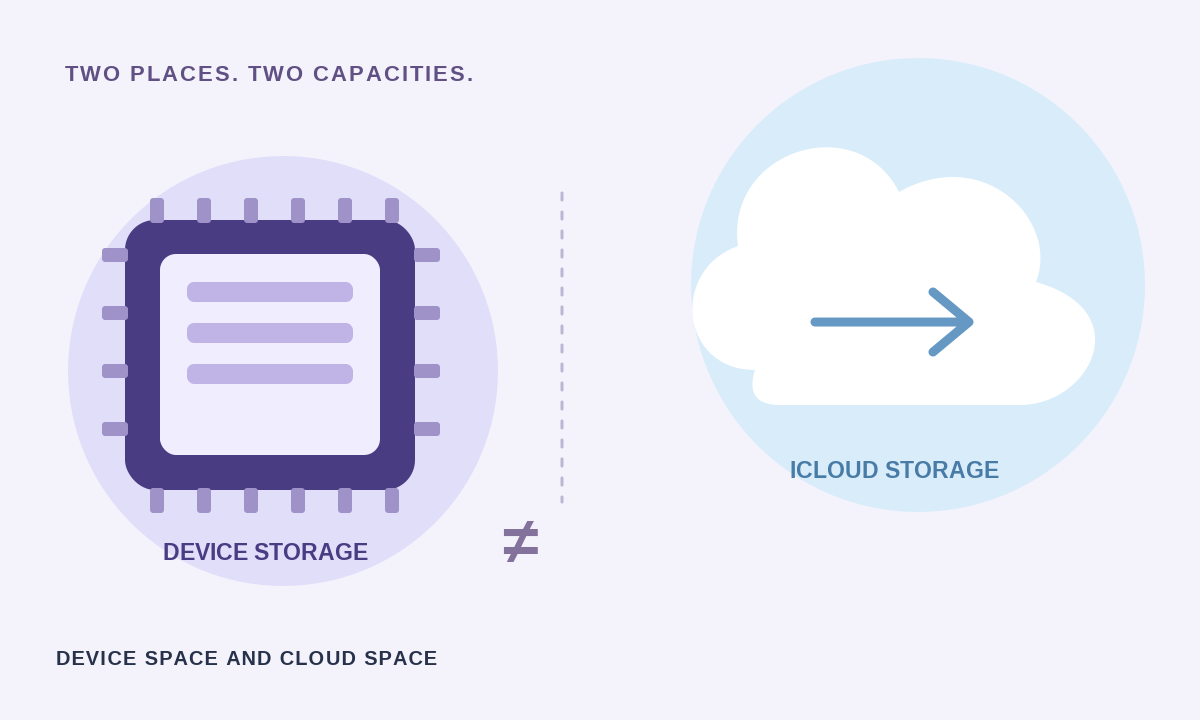
iPhone storage is capacity on your device. iCloud storage is capacity in your Apple account. Filling one does not mean the other is full, and paying for more cloud space does not replace the storage hardware inside your phone.
The distinction matters when a backup fails on a phone that still has room, or a recording fails while the cloud account looks almost empty. Start with the warning’s location and wording.
- Check both storage meters before choosing a remedy.
- Cloud optimization and deleting a photo are different actions.
- Use independent copies for files you cannot afford to lose.
Read the two meters side by side
For the device, open Settings → General → iPhone Storage. For the account, open Settings → your name → iCloud. Apple’s storage comparison documents both.
Note the capacity, usage, and largest category in each place. Keep the labels with the numbers: “10 GB free” is ambiguous if you cannot remember which screen it came from.
| Question | Device storage | iCloud storage |
|---|---|---|
| Where is the capacity? | Inside this iPhone | In your Apple account |
| What should you inspect? | Local apps, media, downloads, and other categories | The account’s storage categories and backups |
| Does a larger cloud plan add it? | No | Yes, subject to the plan |
When device storage is the problem
Look at what is taking up room locally. Review unused apps, downloaded entertainment, and unwanted media before making changes to your cloud subscription. The category that is largest deserves the first investigation.
Imagine a phone with a large offline-video collection. Buying cloud space will not automatically remove those downloads. Their own app’s storage controls are the relevant place to start.
For photos, separate content you want to keep from redundant copies. Fast Cleaner can help you review duplicate and similar images, screenshots, and videos; it cannot decide which personal records still matter to you.
When iCloud storage is the problem
Review the account’s categories rather than assuming the photo library is responsible. Check which backups and files are still useful, then compare keeping them with preserving them elsewhere or choosing a larger plan.
A phone can have plenty of local room while its account has no remaining capacity. Conversely, removing a locally downloaded film may make the phone more usable without changing the cloud bill.
Before removing an old backup, establish which device it belongs to and whether it is still your recovery option. A name that looks unfamiliar is a reason to investigate, not a sufficient reason to delete.
Understand what photo optimization changes
Apple describes Optimize Storage as keeping full-resolution media in iCloud and space-saving versions on the device when needed. This is different from deleting a photo you no longer want.
Consider your offline needs before relying on access to cloud originals. If you need particular files while travelling without a connection, verify how you will obtain and keep the versions you need.
Do not expect optimization to shrink every other app’s data. Revisit the device-storage categories after making a change and evaluate the result there.
Avoid using synced deletion as local housekeeping
Apple’s iCloud Photos guide explains that changes, including deletion, sync across devices using the service. “I only want it off this phone” and “I no longer want this picture” require different decisions.
Before removing anything irreplaceable, create and verify a separate copy. Check a few files at full size and make sure your archive is accessible independently of the library you plan to change.
If you want a cleanup plan for the phone itself, use our device-storage guide. If the main issue is recurring cost, compare the subscription after you understand which data actually uses it.
You can also download  Fast Cleaner: AI Photo Clean. Review the features available on your platform and any pricing before choosing an app.
Your review checklist
Mark each point after you have considered it. This worksheet records your review; it does not inspect your device.
You have reviewed each point. Proceed only with the changes you understand and want to make.
Your selections stay in this page’s memory, are not submitted, and reset when you reload.
Common questions
Why is my phone full when I have iCloud space?
The device has its own fixed capacity. Check its storage categories to see which local apps and files are using it.
Will deleting an app lower my iCloud bill?
Do not assume so. Review what changed in your account usage, whether a lower plan would fit, and whether you actually change the subscription.
Is cloud sync the same as an independent backup?
A synced library can propagate changes. For important files, verify a separate copy that does not depend on keeping the same synced items.
A cleaner, optimization, or a cloud plan?
| Option | Capacity affected | Main limitation |
|---|---|---|
| Fast Cleaner media review | Can reduce local media use when you remove unwanted files. | Does not add capacity or replace backups. |
| Optimize iPhone Storage | Can keep smaller local copies with originals in iCloud. | Needs the appropriate iCloud setup and capacity. |
| iCloud+ plan | Adds cloud capacity. | Does not increase physical device storage. |
Apple’s wording:
set amount of storage.
Apple uses this description for device capacity. Keep local cleanup and cloud-plan decisions separate.
Platform source: Apple — Device storage versus iCloud storage, checked November 21, 2026.

Where Fast Cleaner fits
Use Fast Cleaner when the camera library contains media you no longer need. Check the effects of synced deletion before removing anything from an iCloud Photos library.
Fast Cleaner’s privacy policy describes on-device media analysis with separate limited analytics. Compare Android and iPhone pricing.
Continue with Can Fast Cleaner fix an iPhone storage-full warning?.
Official platform references are linked beside the relevant claims. Menu labels and available features vary by software version and device. Examples are illustrative; this guide does not claim a measured cleanup result or an endorsement by Apple or Google.